 HealthSave
Your whole health history, on a server you run.
Observatory keeps your Apple Health data on your own hardware and shows what changed against your own baseline.
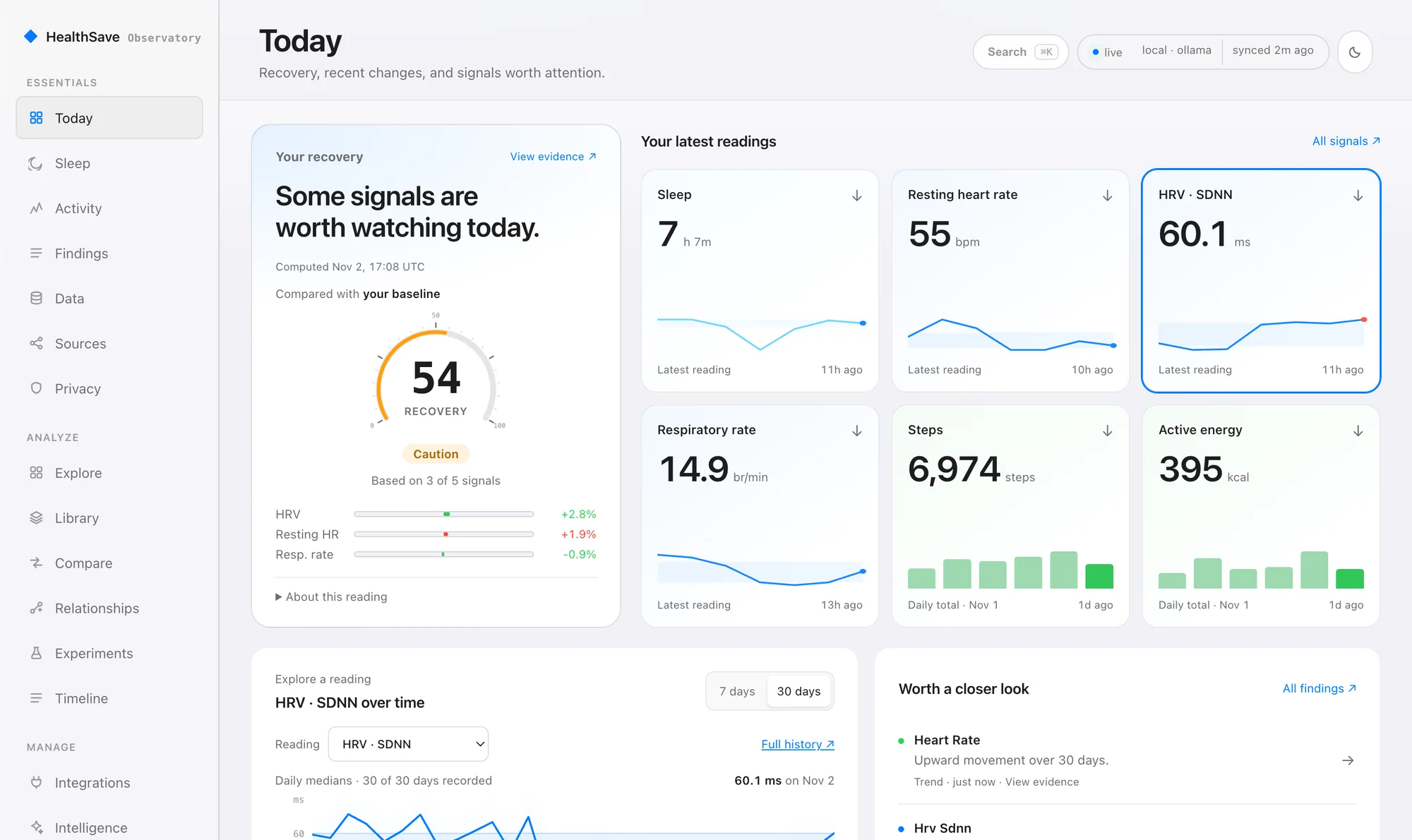
- Free to self-host
- Source-available under the Elastic License 2.0.
- Your hardware
- Mac, Linux or WSL2 with Docker Compose v2.
- Nothing leaves by default
- You turn on every route yourself.
- Works with HealthSave
- The iPhone app sends your Apple Health data.
No HealthSave server in the path.
Your iPhone sends Apple Health data straight to the machine you chose. We can't see it, because it never reaches us.
Your iPhone
HealthSave reads Apple Health with your permission, including what your Apple Watch, scale and sleep tracker wrote there.
Your server
Everything below runs on hardware you control.
- Stores every reading in TimescaleDB
- Compares each day with your baseline
- Computes findings with statistics
- Serves your dashboards and API
What you use it from
- Observatory web dashboard
- Grafana and SQL
- Your private read API
- Home Assistant over MQTT
- CSV and JSON exports
Whoop and Amazfit plugins, and the Garmin and Samsung importers, land in the same database. Devices that write to Apple Health, such as Oura and Withings, arrive through HealthSave.
See what changed, then check why.
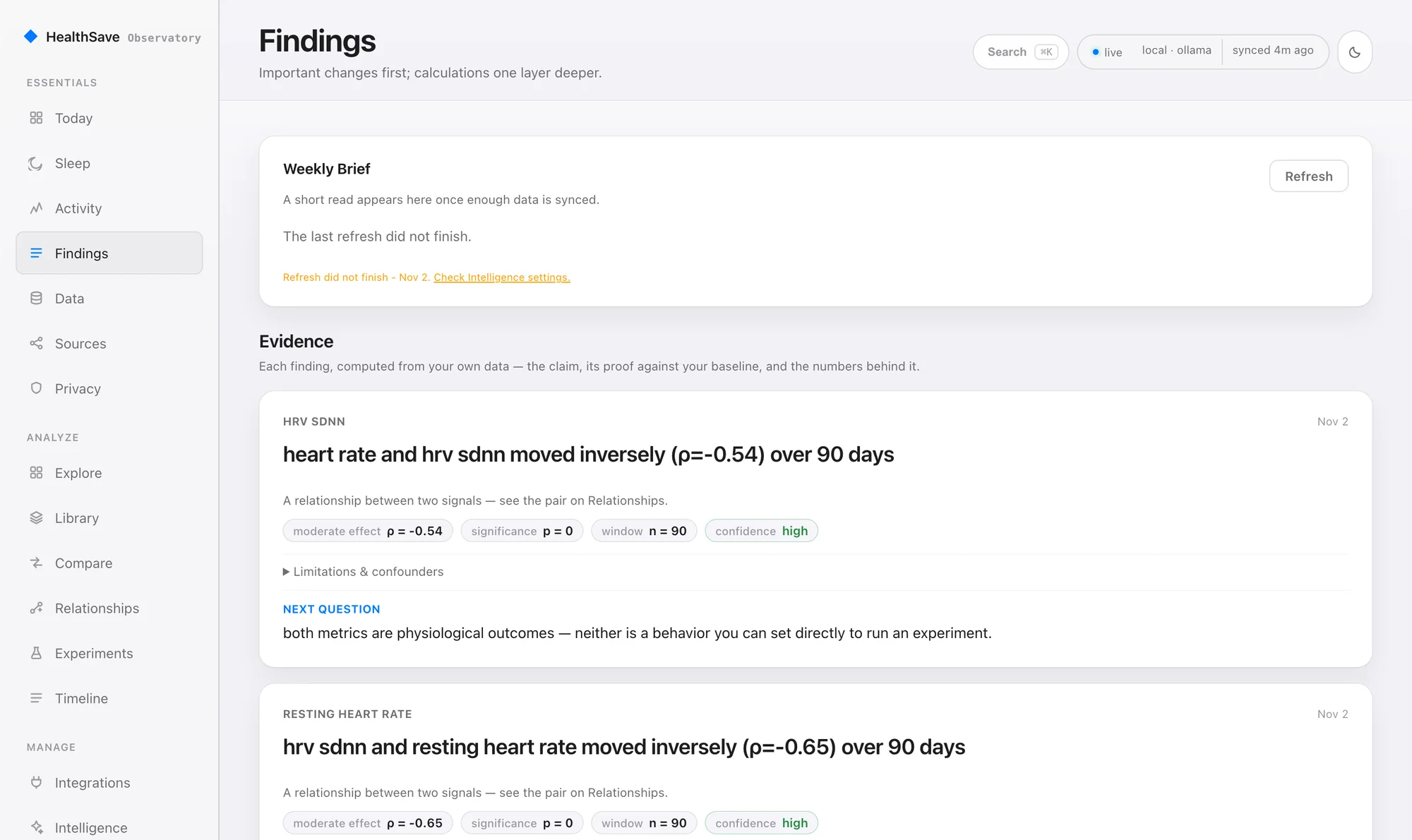
Every finding shows the claim, its method, the sample size and its limits, so you can check it yourself.
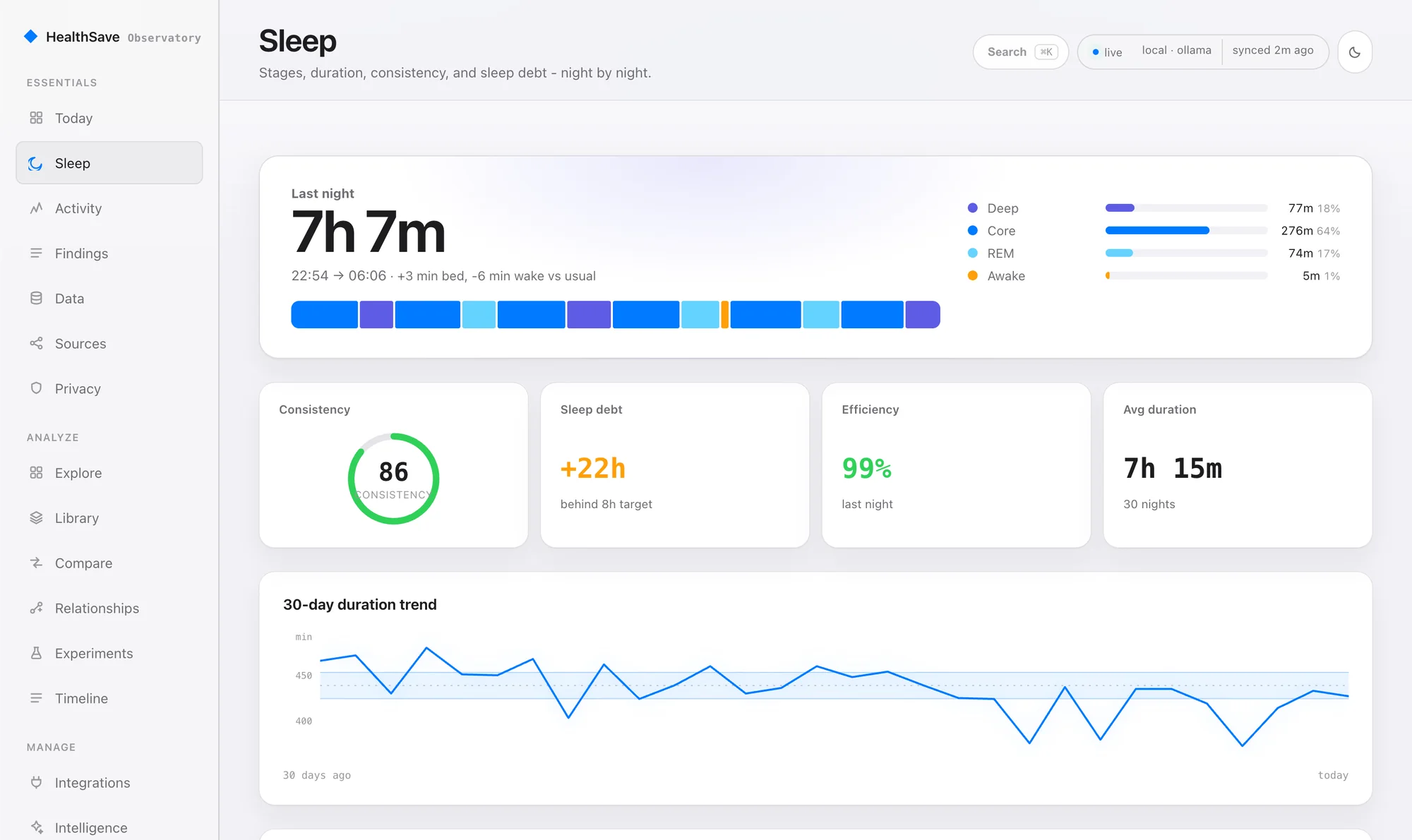
Stages, duration, consistency and sleep debt, night by night.
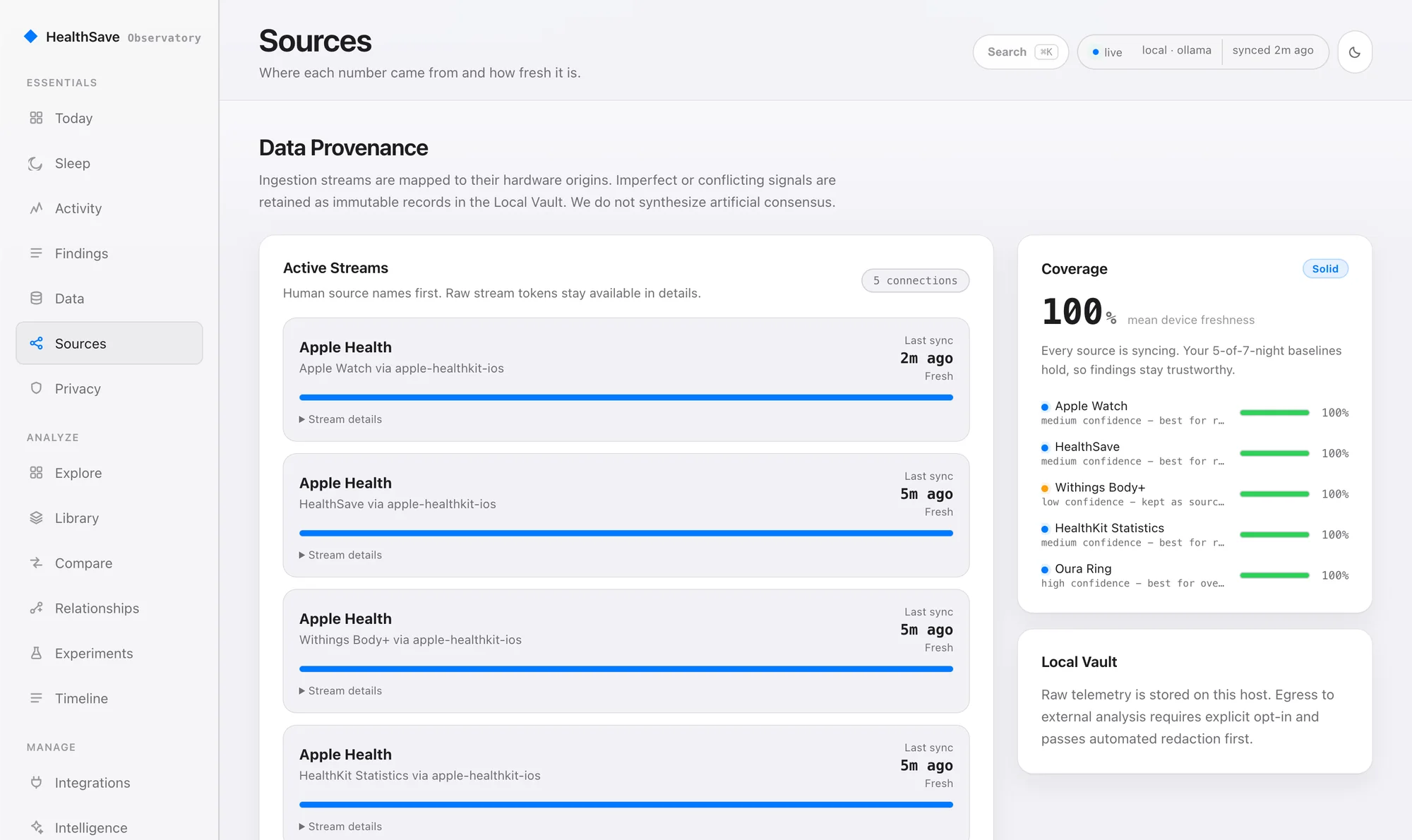
See which device each number came from and how fresh it is. When devices disagree, both stay on record.
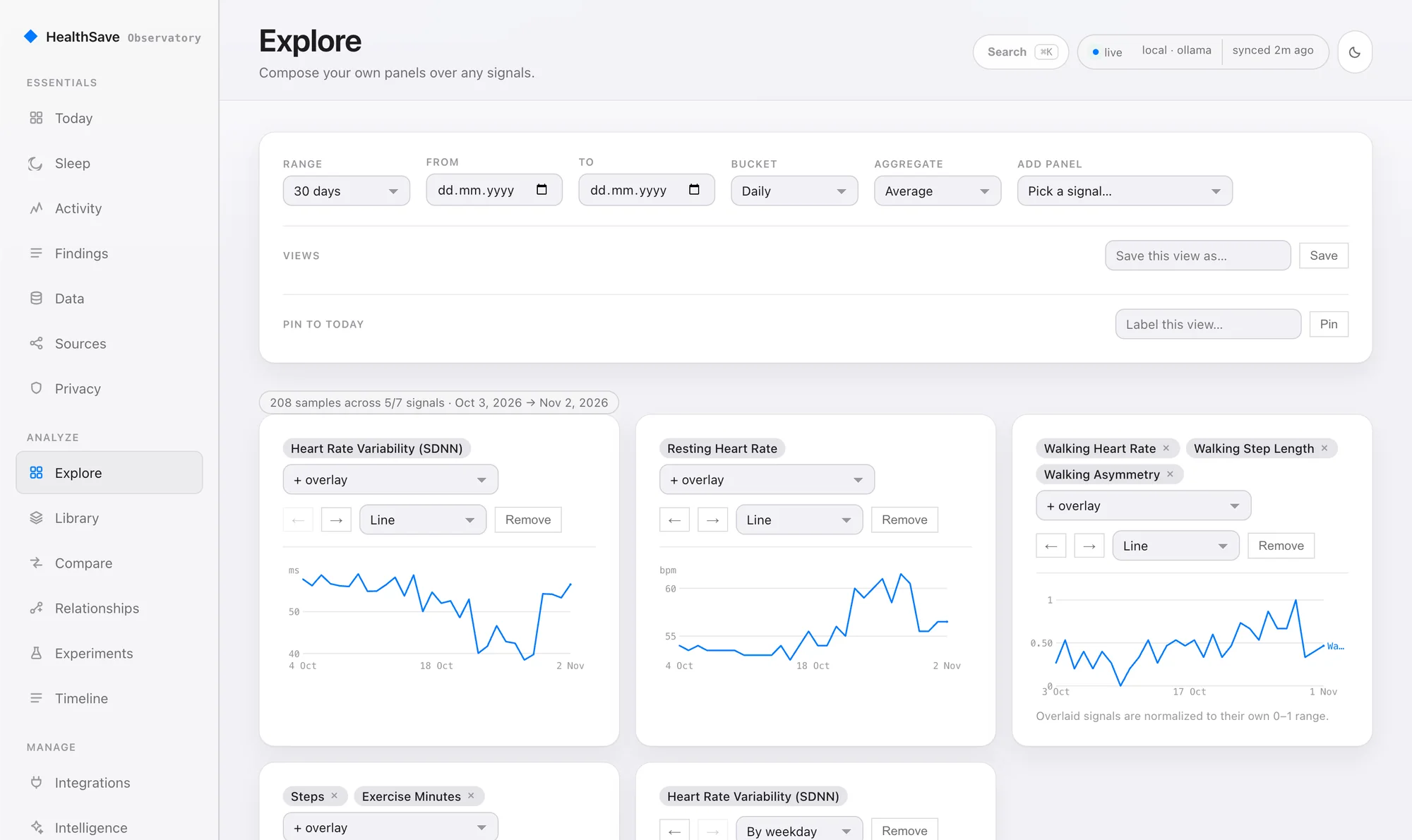
Build your own panels over any signal, save the view and pin it to Today.
See what stayed on this host, what is allowed to leave, and why.
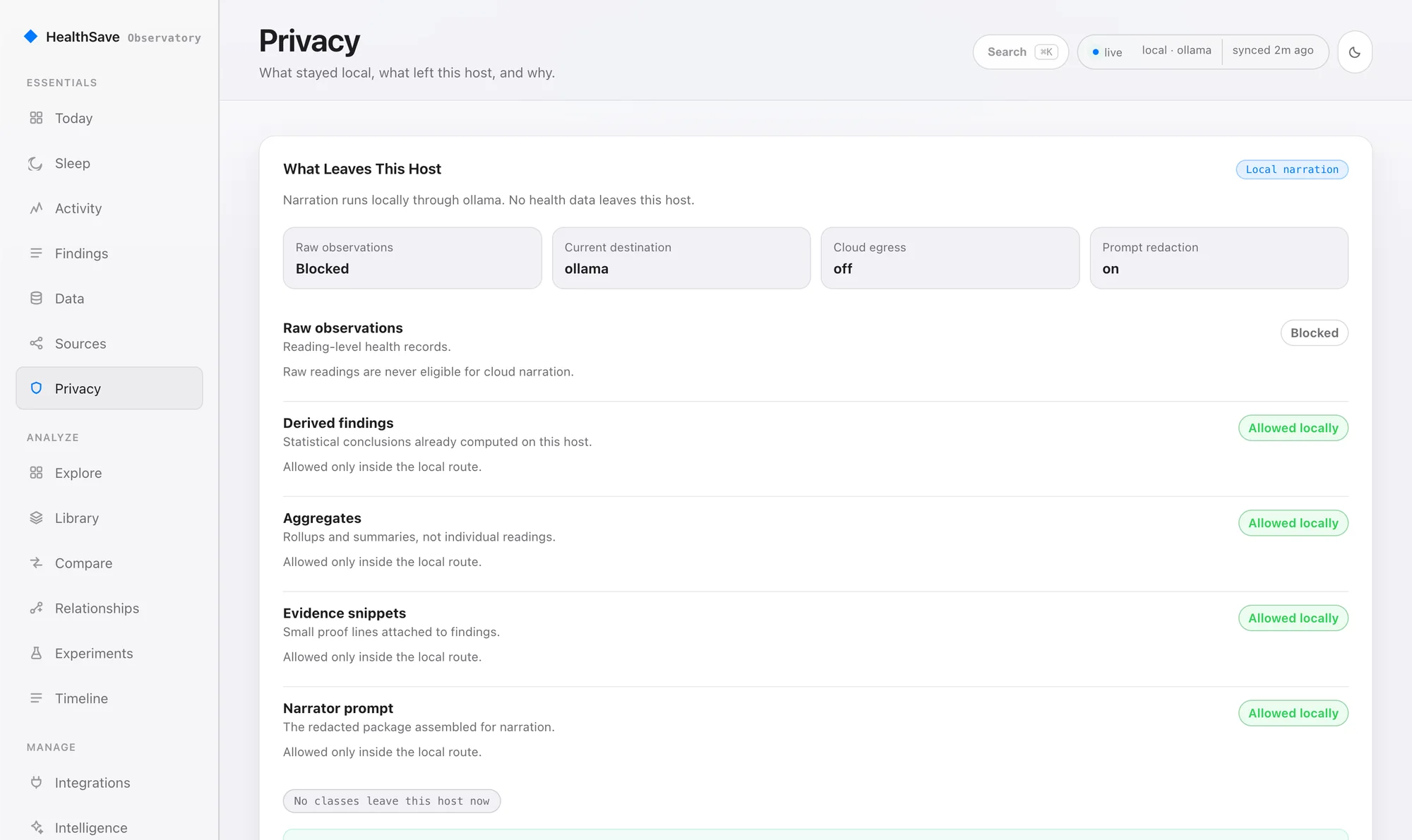
Screens show synthetic sample data, captured from the current build.
Statistics find it. AI only puts it into words.
The engine that spots changes is deterministic and runs on your machine. A language model is optional, and it can only narrate what the engine already found.
- Works without AI
- Trends, anomalies, correlations and recovery checks need no model at all.
- Local first
- Add narration with Ollama and it runs on your own hardware.
- Cloud is opt-in
- Only derived findings can go to a cloud model, redacted first. Raw readings can't.
- Never averaged
- When two devices disagree, you see the gap, not a made-up middle.
Install it with one command.
You need Docker Compose v2 running on macOS, Linux or WSL2. The installer uses the newest tagged release.
- Set upBasic setup creates your API key and dashboard password, then starts the stack.
- PairRun
healthsave pair, then connect HealthSave on your iPhone by QR code or by hand. - SyncTap Sync New Data. Your history lands in your own database.
You may not need a server at all.
HealthSave works on its own. Observatory is for people who want their full history in a database they control.
| Capability | App alone | App + Home Assistant | App + Observatory |
|---|---|---|---|
| What you run | Nothing | Your Home Assistant | Your Observatory server |
| Dashboards | On your iPhone | Home Assistant entities | Web dashboard and Grafana |
| Full history in a database | No | No | Yes, in TimescaleDB |
| Findings over your baseline | Summaries on iPhone | No | Yes, with evidence |
| Query it yourself | Export CSV or JSON | Through Home Assistant | SQL and a private API |
| HealthSave Pro | Optional | Required | Required for background sync |
What flows in.
- Apple Health through HealthSave
- Whoop plugin, early
- Amazfit and Zepp plugin, early
- Garmin Connect importer
- Samsung and Huawei Health importer
Android Health Connect and a generic webhook are planned. Neither is available yet.
What it doesn't do yet.
You are the administrator, so you should know these before you install.
- One shared API keyEvery client holds the same access. Scoped read tokens are planned.
- No built-in HTTPSThe API speaks plain HTTP. Beyond your LAN, use a reverse proxy.
- One dashboard passwordThere are no separate user accounts yet.
- No encryption from the stackUse disk encryption on the host, such as FileVault, LUKS or an encrypted NAS volume.
- Routes skip the egress gateThe gate covers the AI narrator. MQTT, exports and Grafana send data where you point them.
- Sync timing is up to iOSBackground delivery is best-effort, and iOS may delay it for hours.
Questions, answered straight.
- Does HealthSave see my data?
- No. Observatory runs on your hardware and your iPhone sends data straight to it. HealthSave runs no server in that path, and the stack makes no outbound calls you did not turn on.
- What does it cost?
- The self-hosted server is free to run. Background sync from your iPhone needs HealthSave Pro, a one-time in-app purchase with no subscription. Optional paid add-ons exist: Observatory Care for the self-hosted server and Observatory Hosted as a founding pre-order, with details on /pricing/.
- Is it open source?
- The server and web app are source-available under the Elastic License 2.0: you can read the code, change it and self-host it, but you can't offer it to others as a managed service. The protocol and SDK layers are Apache-2.0.
- Do you host it for me?
- Not yet. Observatory Hosted is a founding pre-order for a private instance, run in the EU or in your own cloud account. We build it only once 15 people have pre-ordered, and a pre-order is refunded in full until your instance exists. Self-hosting stays free: you run the server and look after its updates and backups, and the CLI has commands for both.
- What can it run on?
- A laptop, NUC, Mac mini, Synology NAS, Proxmox VM or small Linux server with Docker Compose v2. Plan on 2 vCPU and 4 GB of RAM, plus more if you add a local AI model.
- Can I reach it away from home?
- Yes, as a deliberate step: put an HTTPS reverse proxy in front of it. The API speaks plain HTTP, so never publish port 8000 to the internet directly.
- Do I need an iPhone?
- For Apple Health, yes. Whoop and Amazfit plugins and the Garmin and Samsung importers work without one. Android Health Connect support is in development and not available yet.
- Is this medical advice?
- No. Observatory shows what changed in your own data. It is not a medical device and it does not diagnose or treat anything.
Run it on your own hardware.
Start with the iPhone app if you just want your data out. Add Observatory when you want to keep all of it.